Processing Summary
The Processing Summary report offers a comprehensive overview of the files processed by FileFlows during a specified period. This report includes various metrics and visualizations to provide insights into file processing performance.
Processing Summary
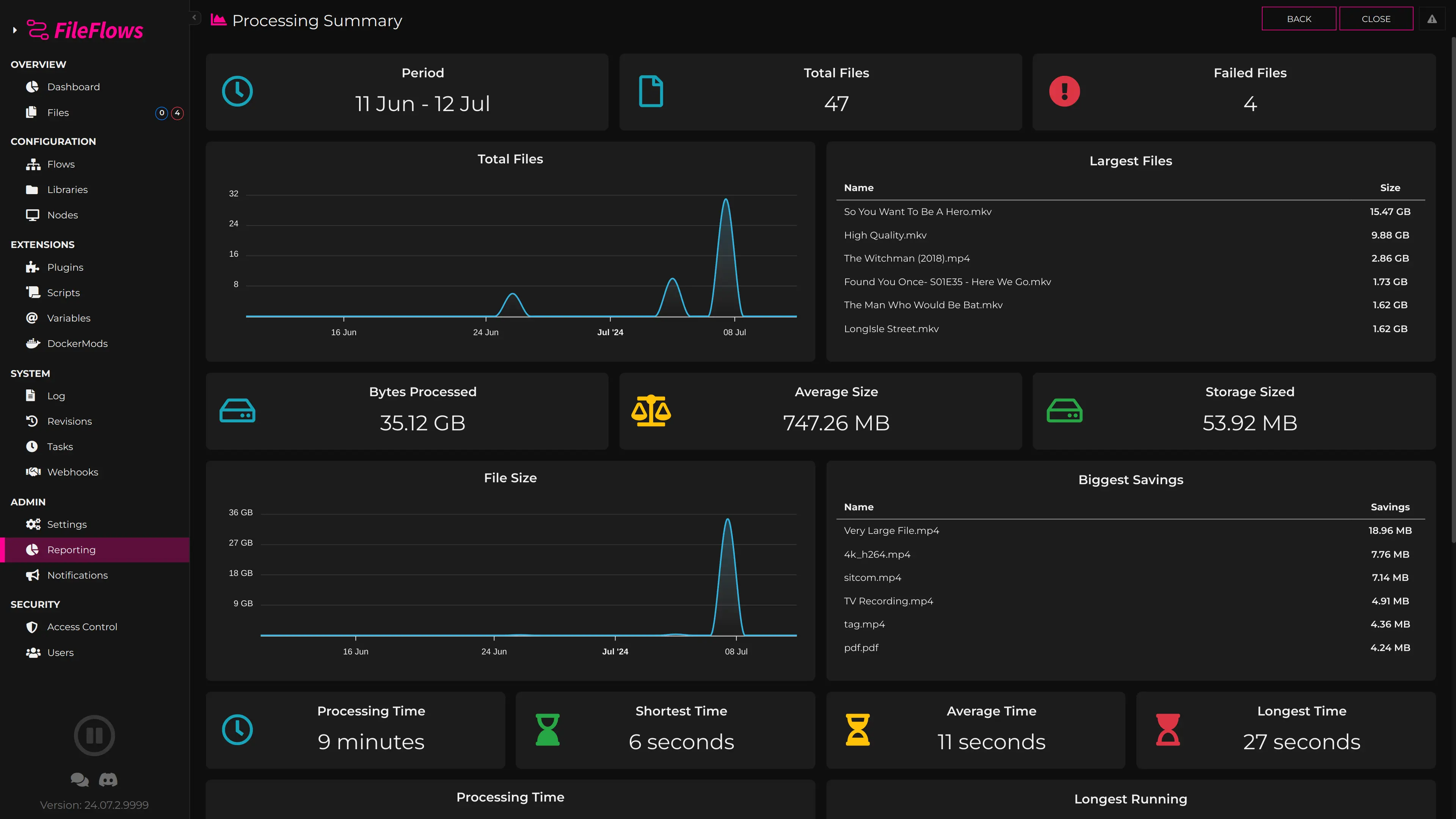
Report Details
Overview
- Total Files Processed: The total number of files processed.
- Files Failed Processing: The number of files that failed during processing.
Daily Analysis
- Files Processed per Day: A line graph depicting the daily count of files processed.
- Largest Files Processed: Highlights the largest files processed during the period.
Storage and Size Metrics
- Bytes Processed: The total amount of data processed.
- Average File Size: The average size of files processed.
- Total Storage Saved: Amount of storage space saved through processing.
- File Size Trends: A line graph showing the size of files processed over time.
- Top File Savings: Lists the files with the greatest reduction in size.
Processing Time Metrics
- Total Processing Time: The cumulative time spent processing all files.
- Shortest Time: The shortest processing time recorded for a file.
- Average Time: The average processing time per file.
- Longest Time: The longest processing time recorded.
- Daily Processing Time: A line graph illustrating processing times per day.
- Top Longest Running Files: Table listing files with the longest processing times.
Library Distribution
- Library Distribution: A pie chart displaying the distribution of files processed from different libraries.
- File Size Distribution by Library: A bar graph grouping file sizes by library.
Agent Configuration
You can choose to break down the data per Agent or combine data from all Agents, providing flexibility in analyzing file processing across different parts of your workflow.
Note
This report offers comprehensive insights into file processing performance, enabling you to monitor efficiency, identify trends, and optimize workflow strategies within FileFlows.