Automate Your
FileFlows
Design, schedule, and run automated file processing pipelines with ease – from a single server to a distributed cluster. Perfect for self-hosted environments, home labs, and cloud deployments. Used for video transcoding, audio processing, images, ebooks, and more.





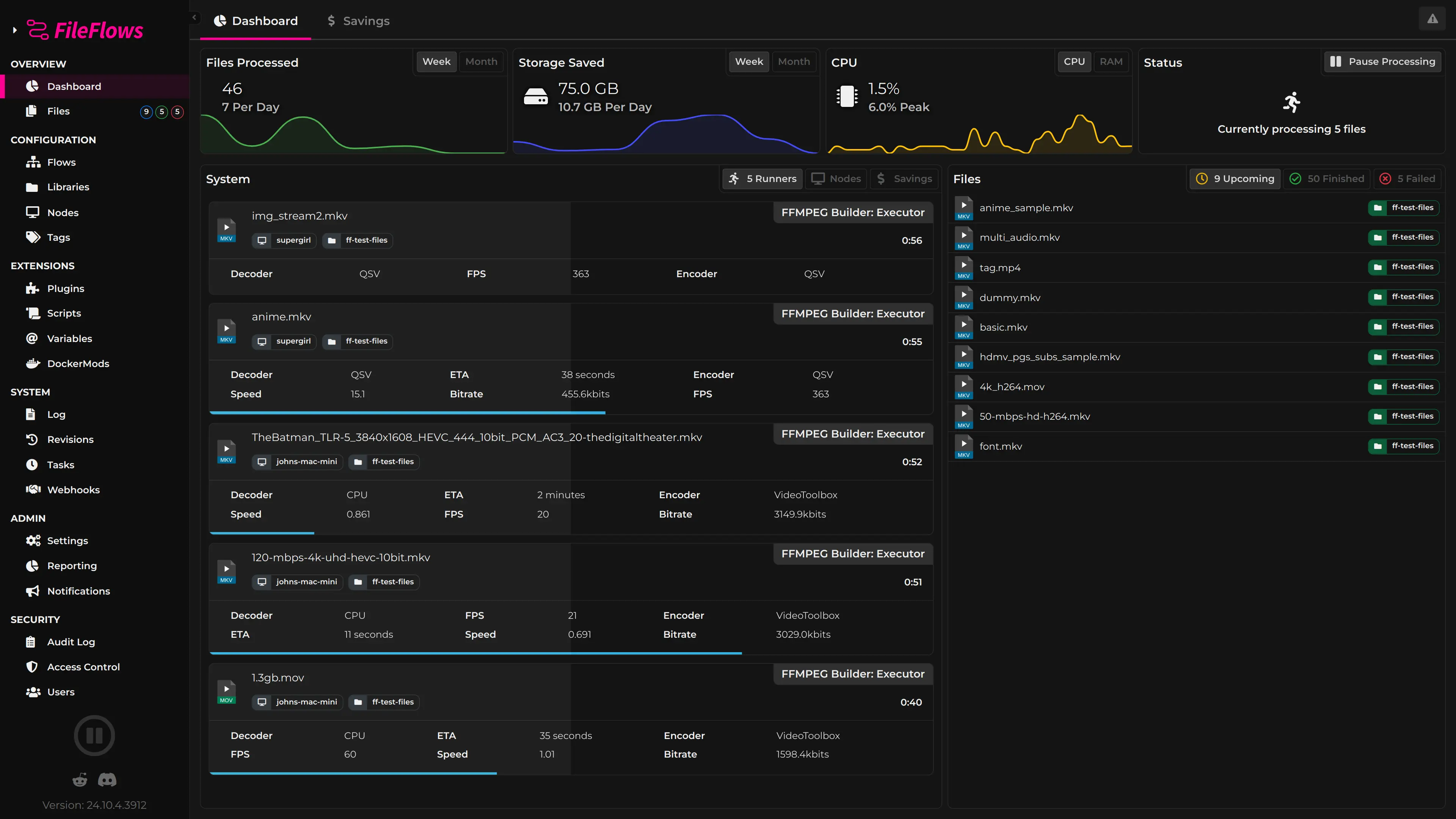
Your Files, Automated
You're looking at FileFlows – the platform that gives you full control over automated file processing. Build flows visually, monitor jobs in real time, and manage every aspect of your file automation pipeline from one place.
- Visual flow designer – drag and drop
- Self-hosted – runs on your hardware
- Real-time monitoring and alerts
- Extensible plugin ecosystem
Key Features

Custom Flows
Build automated pipelines to process, analyze, and organize files exactly how you want.

Centralized Management
Manage all your file processing from a single dashboard.

Real-time Monitoring
Track progress and system performance in real time.

Cloud Ready
Easily deploy FileFlows in the cloud using Docker, LXC, or other container technologies.

Scalable Architecture
Easily scale from a single server to enterprise-level deployments.

Distributed Processing
Offload tasks to multiple nodes for faster, more efficient file processing.
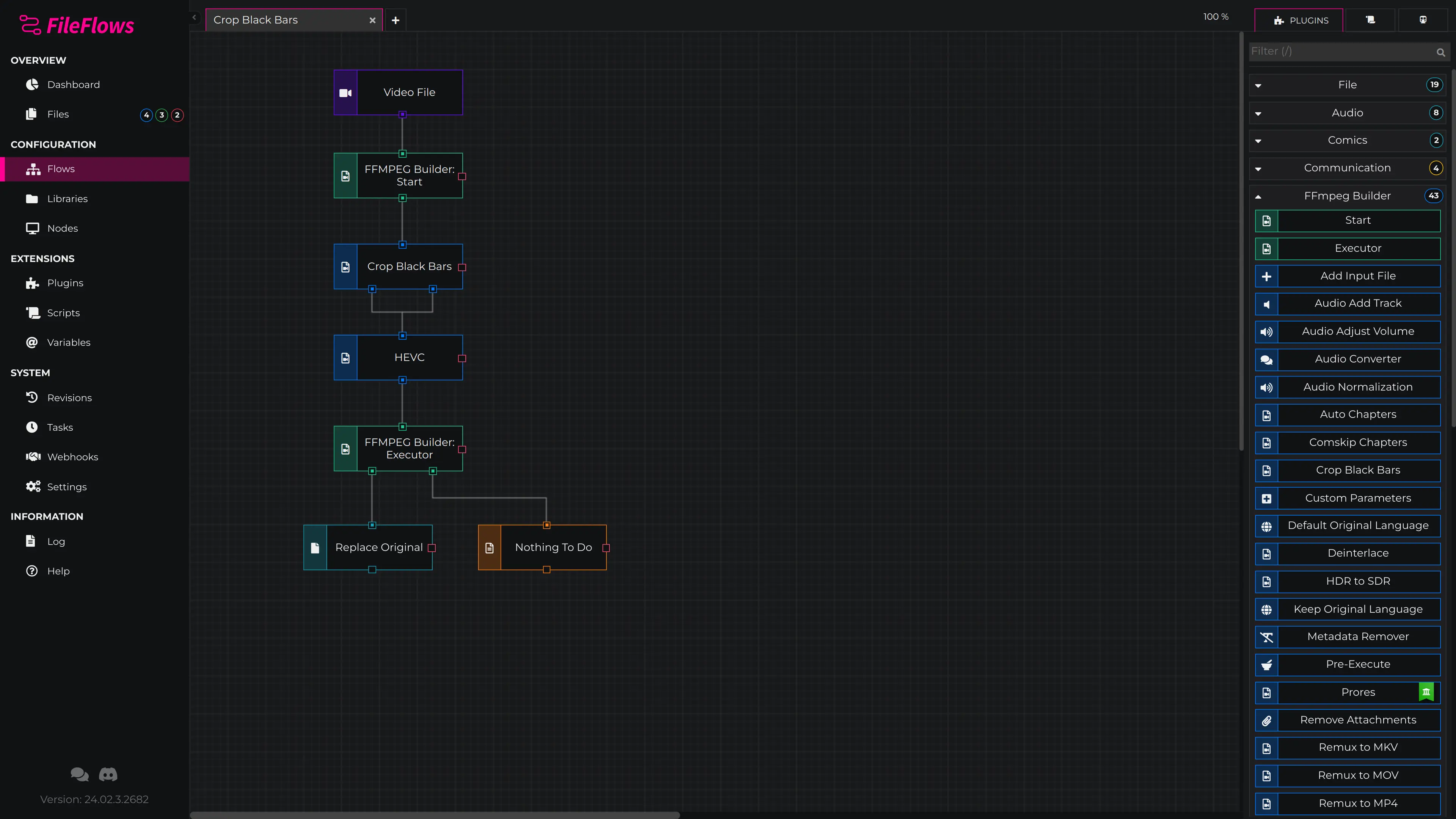
Build Flows Visually
Drag and drop flow elements to create powerful file processing pipelines. Connect inputs, processors, outputs, and conditions – no scripting required. Every flow element exposes its own configuration, and flows can be as simple or as complex as you need.
- Drag-and-drop flow element editor
- Conditional branching and loops
- Variables, loops, and expressions
- Reusable saved templates
What You Can Do with FileFlows

Video Transcoding & Automation
Transcode to AV1, HEVC, or H.264 with hardware acceleration (Intel QSV, NVIDIA NVENC, AMD AMF, VAAPI, VideoToolbox on Mac). VMAF-optimized encoding, Dolby Vision support, automated crop, upscale/downscale, burn-in subtitles, and watermarking.

Audio Processing
Convert and process MP3, FLAC, AAC and other formats with loudness normalization, tagging, and format conversions.

Image Pipelines
Resize, optimize, and convert images for web or archives with automatic metadata handling.

Ebooks & Comics
Convert EPUB/MOBI/PDF and organize CBZ/CBR collections automatically.

Any File Automation
Watch folders, route by rules, run external tools, and move/rename with precision. Supports ProRes, MXF, MKV, MP4, and any file type with custom flows.

Self-Hosted & Home Lab Ready
Deploy on Windows, Mac, Linux, Docker, unRAID, TrueNAS, or Proxmox. Full control over your media workflows without relying on cloud services.
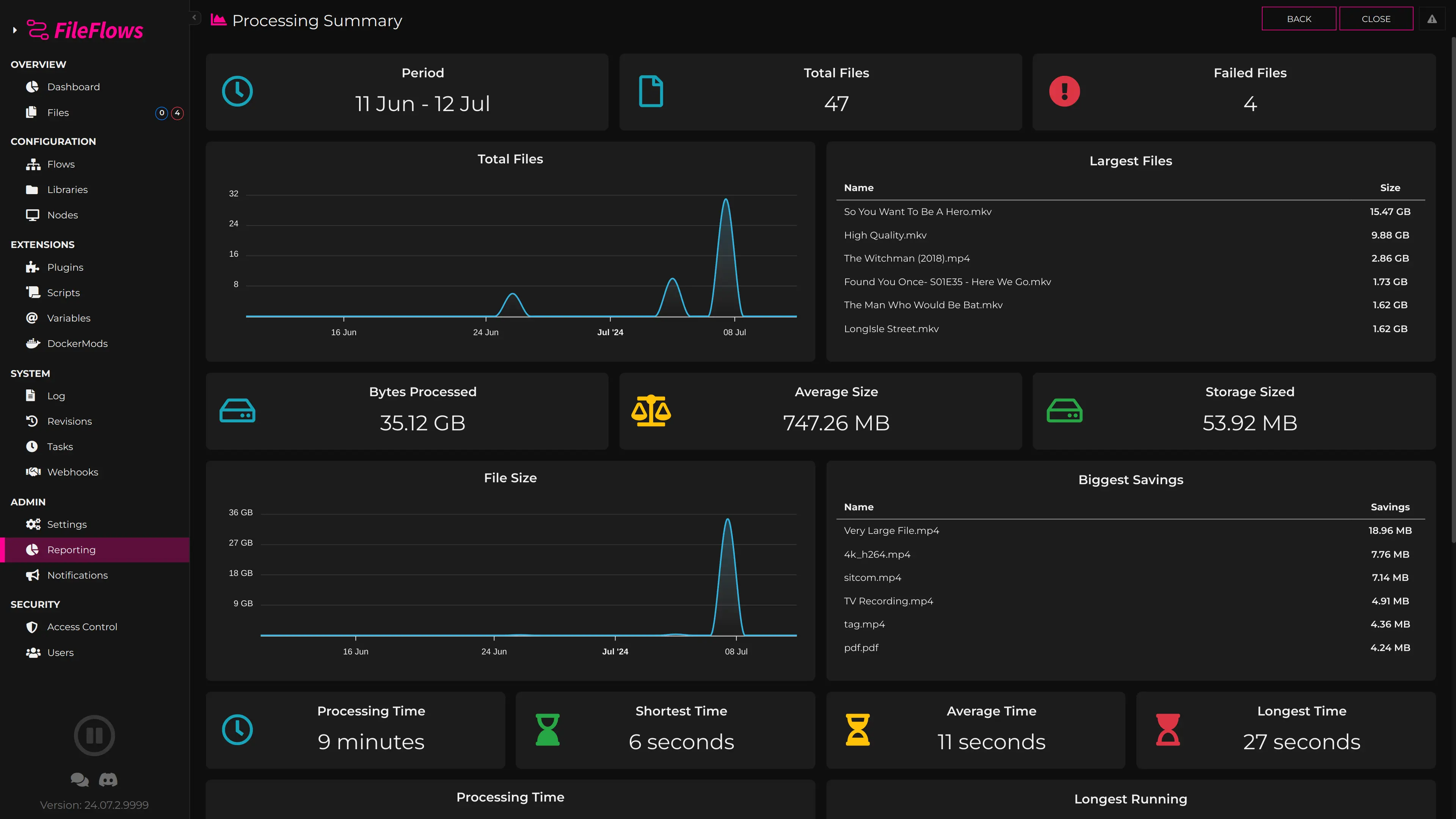
Processing Summary
Get a clear overview of all file processing activity. Track throughput, success rates, failures, and processing times across your entire deployment with detailed per-node and aggregate views.
- Real-time throughput monitoring
- Success and failure rate tracking
- Per-node and aggregate views