API
The FileFlows API lets other applications manage FileFlows: you can list and manage libraries, library files, flows, agents and more.
The API is off by default. Until you enable it, every request to /api returns 404 Not Found, as if there were no API.
Enabling the API
- In FileFlows, go to Config > API.
- Turn on Enabled.
- FileFlows creates an API Token for you. You can also enter your own.
- Click Save.
The API is only available while FileFlows is licensed. If the license expires, the API returns 404 until it is renewed.
Anyone with the API token has full access to the API. Keep it secret: never put it in a URL, a public repository or a web page other people can open.
If the token is ever exposed, change it on the Config > API page and save. Requests signed with the old token are rejected from then on.
API Documentation
Once the API is enabled and saved, its documentation is available on your server at /api/help. It is also linked from the API Documentation field on the Config > API page, and from the help menu in the top bar.
- Local URL Example:
http://localhost:19200/api/help
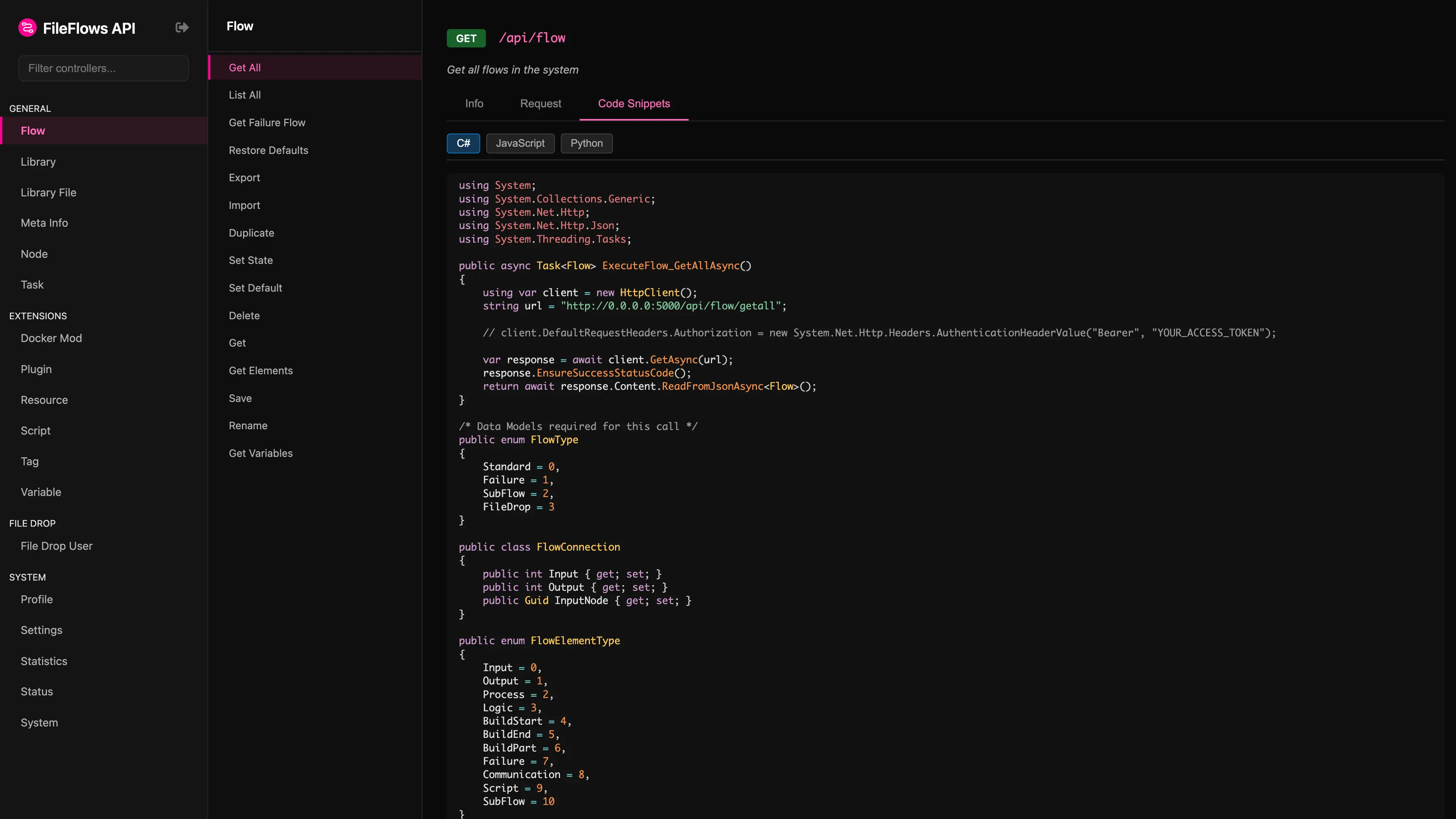
The documentation lists every endpoint with its parameters and schemas, and shows a code sample for each one. You can also send requests from it: click the ⚙ button at the top of the menu and enter your API token. The token is stored in your browser and only used to sign the requests you send from that page. It is never sent to the server.
Authentication
API requests are signed with the API token. The token itself is never sent. The signature proves three things: the request came from someone who has the token, it was not changed on the way, and it cannot be replayed.
The API no longer accepts an Authorization: Bearer token copied from the web console. Every request must be signed as described below.
Request Headers
Send these three headers with every request:
| Header | Value |
|---|---|
X-Timestamp | The current Unix time in seconds. It must be within 5 minutes of the server's clock. |
X-Nonce | A random value used only once, for example a GUID without dashes. The server rejects a nonce it has already seen. |
X-Signature | The lower case hex HMAC-SHA256 of the string to sign, using the API token as the key. |
The String to Sign
The string to sign is these five values joined with a colon:
{METHOD}:{path}:{timestamp}:{nonce}:{bodyHash}
| Value | Description |
|---|---|
METHOD | The HTTP method in upper case, e.g. GET, POST, PUT or DELETE. |
path | The URL decoded request path, e.g. /api/library-file/list-all. Do not include the query string. If FileFlows is behind a reverse proxy under a sub path, do not include that sub path either: the path starts at /api/. |
timestamp | The X-Timestamp value. |
nonce | The X-Nonce value. |
bodyHash | The lower case hex SHA-256 of the JSON body, sent with Content-Type: application/json. Leave it empty when the request has no body. |
For example, a GET request to /api/status with no body signs this string:
GET:/api/status:1760000000:9f86d081884c7d65:
Because the body hash is part of the signature, sign the exact JSON text you send. Do not serialize the body a second time when sending it.
Responses
| Status | Meaning |
|---|---|
401 Unauthorized | The request was not signed correctly. The response body gives the reason, for example Invalid signature, The nonce has already been used or The request timestamp is too old, or the clocks are out of sync. |
404 Not Found | The API is not enabled, or FileFlows is not licensed. |
If you get a timestamp error, check that the clocks on the FileFlows server and the calling machine are correct.
Code Samples
Each sample is a small function or client class that signs a request and sends it. Use it as a starting point for your own code. The API documentation on your server uses the same clients in its sample for each endpoint.